
2026New LAUNCH X431 I-TPMS Car Tire Pressure Diagnostic Tool Activate/Programming/Relearn 315/433Mhz Sensor for X431 pk TSGUN
I-TPMS only / United States
$185.00
Sale price
$185.00
Regular price
$0.00
Skip to product information



2026New LAUNCH X431 I-TPMS Car Tire Pressure Diagnostic Tool Activate/Programming/Relearn 315/433Mhz Sensor for X431 pk TSGUN
$185.00
Sale price
$185.00
Regular price
$0.00
Shipping calculated at checkout.
SPECIFICATIONS
Brand Name: LAUNCH
Certification: CE
Feature 1: Diagnose tire pressure fault
Feature 2: Read DTC, clear DTC
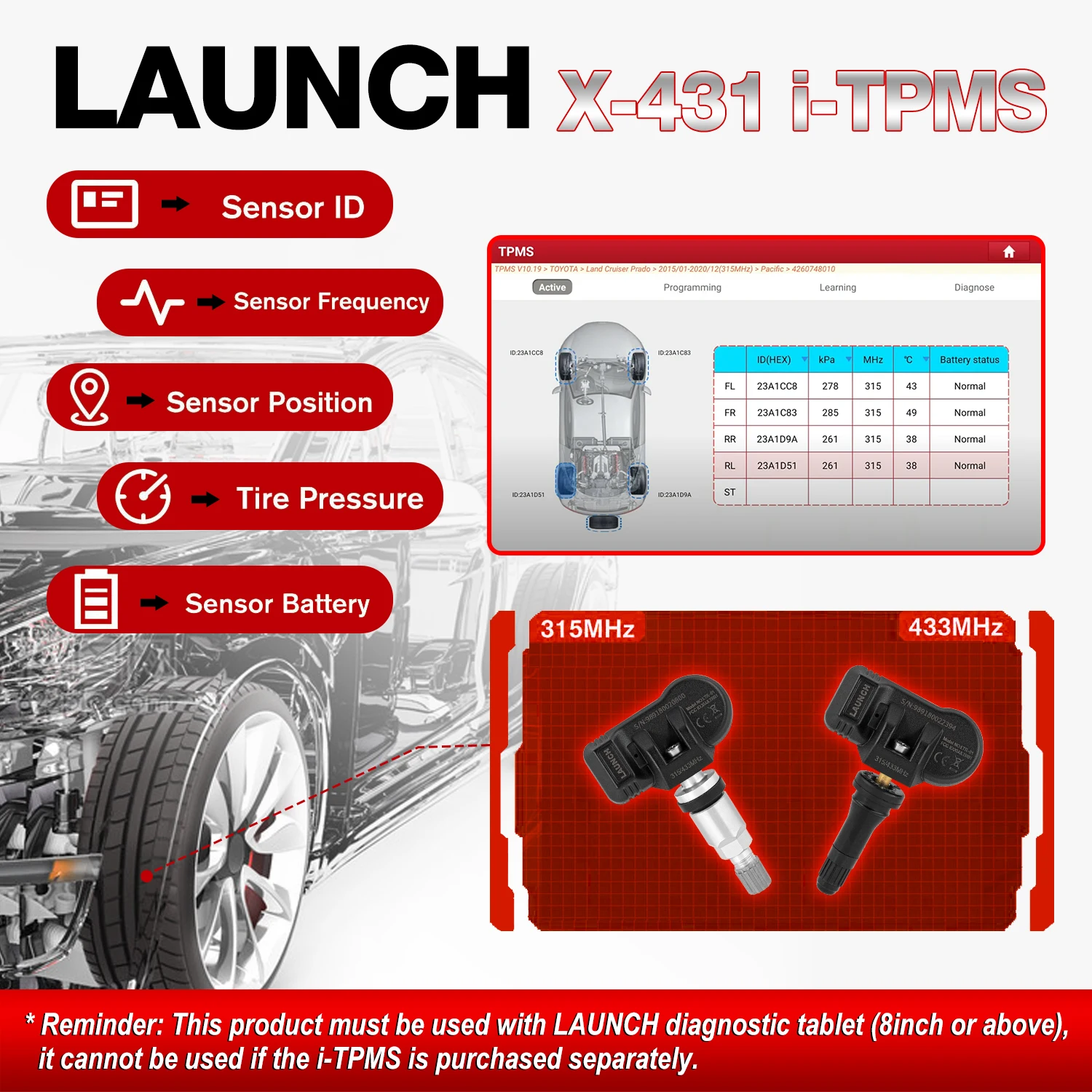
Feature 3: read tire pressure, tire temperature and battery status
Feature 4: Activate and match 315MHz or 433MHz sensors
Feature 5: Read, copy and write the sensor ID
High-concerned chemical: None
Origin: Mainland China
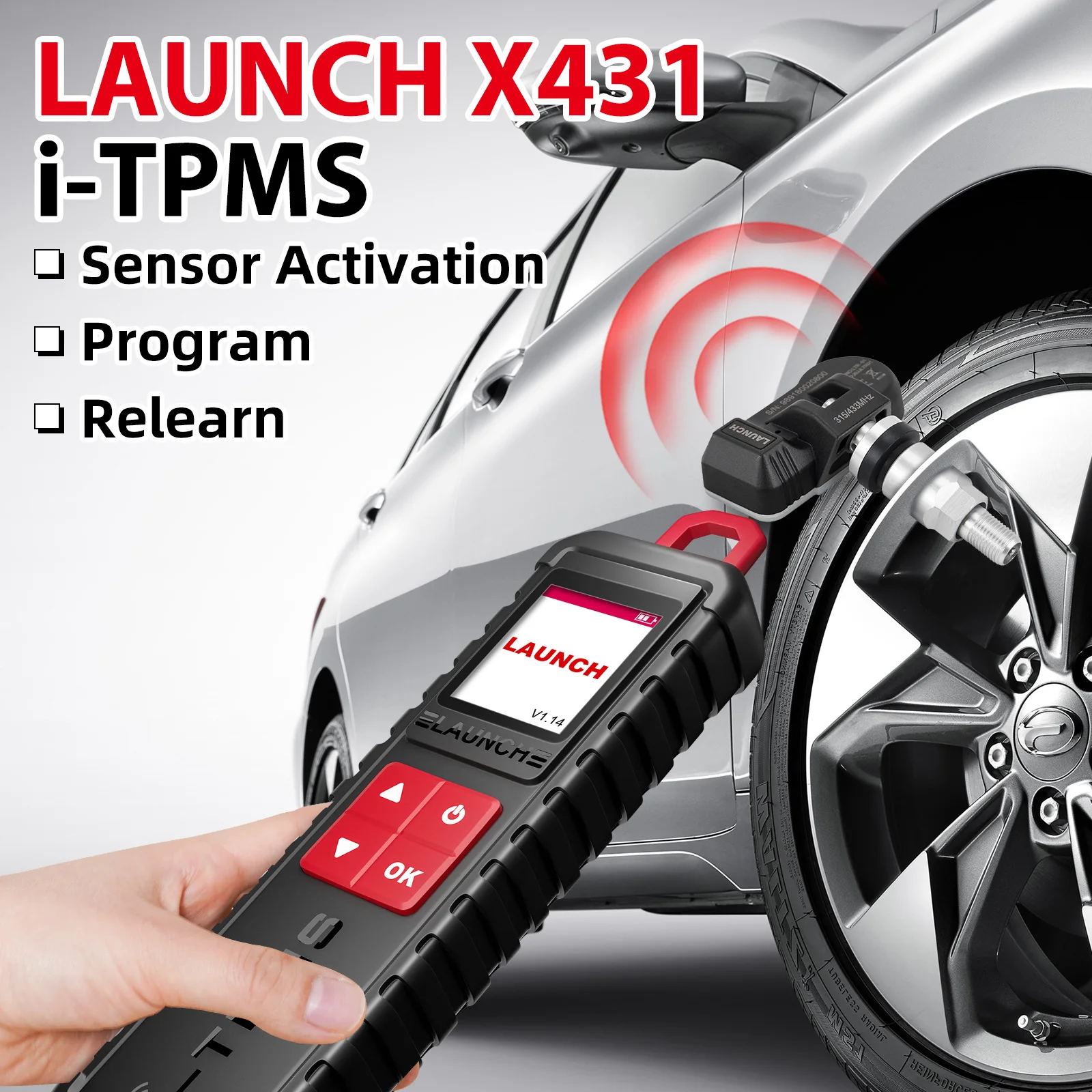
Support: Sensor Activation/Sensor Programming/Sensor Learning
Support Sensor: LAUNCH FR-Sensor and Sensors of car origin
Update: Free Update Online
activation: 315MHz/433MHz sensors
work with: Launch X431 V, V+, ProS, Pro3, Pro5, PAD III, PAD V and PAD VII.
📢📢📢China Warehouse & Russia Warehouse: In-stock items available for express shipping.
Please Note:
launch sensor only support work with launch device,such as launch tsgun, i-tpms... it can't work with thinkcar or autel device!
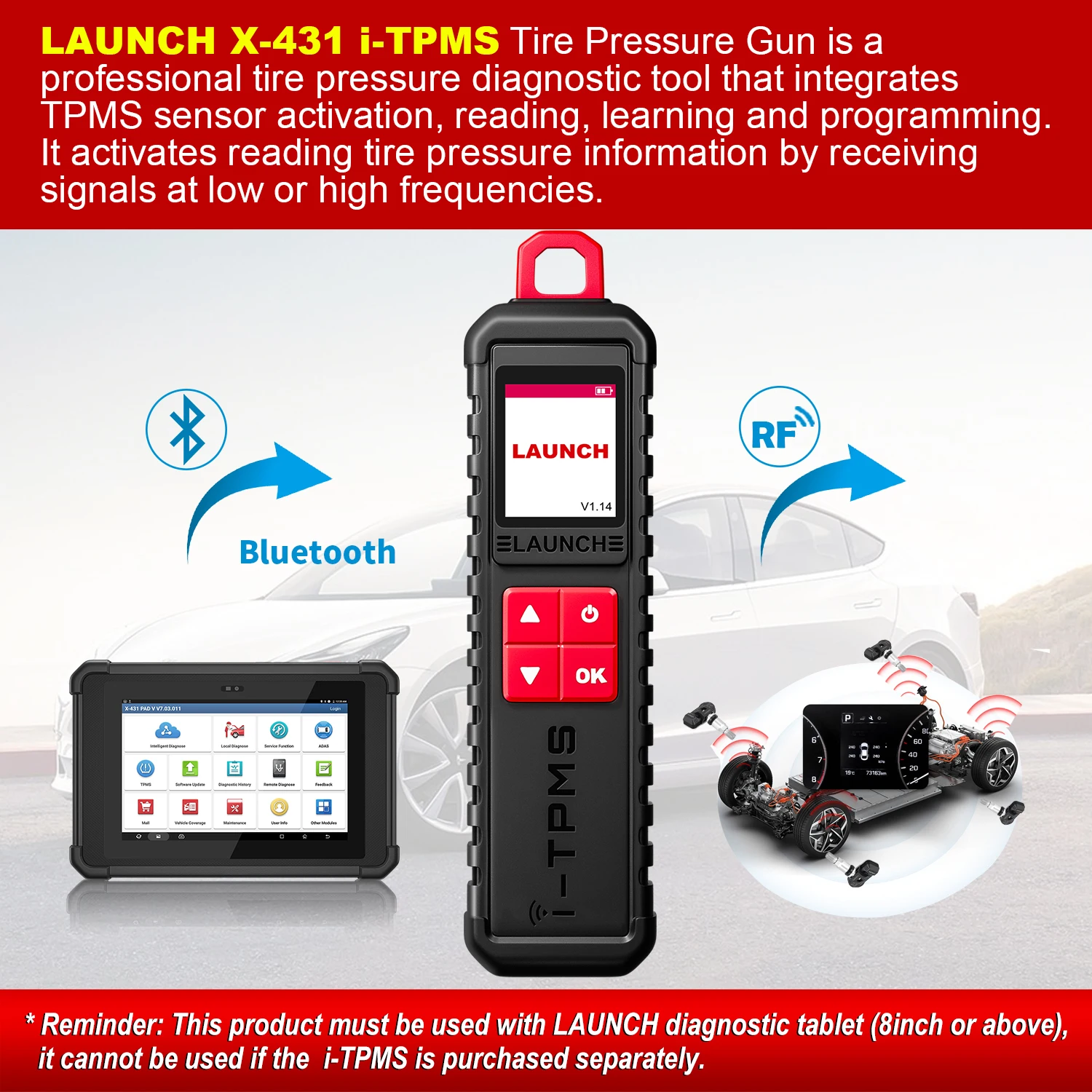
Launch i-TPMS provides professional and comprehensive TPMS services for repair shops to develop their TPMS business. It can program LAUNCH LTR RF sensors for unlimited times to replace OE sensors. The sensor data can be read instantly and accurately, including sensor ID, tire pressure, tire temperature, battery status, etc
Why choose LAUNCH I-TPMS?
1. 1.77 inch color screen
2. Instantly read tire pressure, tire temperature and battery status
3. Diagnose tire pressure fault, including read DTC, clear DTC, etc.
4. Activate and match all 315MHz or 433MHz sensors
5. Read, copy and write the sensor ID quickly
6. Reprogram LAUNCH sensors with unlimited times
7. Built-in tire pressure learning instruction makes operation more easy
8. Cover 98% global vehicles with tire pressure system
9. Compatible modules: X431 V/V+/PRO3S/PRO3S+/PAD V/PAD II/PAD VII,ect
10. Support Language : English, French, Spanish, German, Russian, Korean, Japanese, Portuguese, Italian, Polish, Dutch, Hungarian, Finnish, Simplified, Czech, Turkish, Greek, Arabic, Danish Persian, Romanian, Serbian, Swedish, Chinese Traditional
Compatible product list
For OBDII diagnostics, the obd2 code reader works great for most cars built in 1996 or later, being compatible with following protocols:
-ISO 14230-4 (KWP2000)
-ISO 15765-4 (CAN)
-ISO 9141-2 (iso)
-ISO 14229 (uds)
-SAE J1850 (VPW & PWM)
-Original protocols of makers
For advanced functions as active test, all system diagnostics, and maintenance service, it covers 95% of car models available in the market including:
-Asia:
for Daewoo, for Honda, for JP Isuzu, for Kia, for Mazda, for Mitsubishi, for Nissan, for SGM, for Subaru, for Suzuki, for Toyota,for Hyundai, for Ssangyong
-Europe:
for Aston Martin, for Audi, for Benz, for BMW, for Citroen, for Ferrari, for Fiat, for Land Rover, for Maserati, for Opel, for Porsche, for Renault, for Rover, for Saab, for Seat, for Skoda, for Smart, for Sprinter, for Volvo, for VW, for Peugeot
-America:
for Chrysler, for USA-Ford, for GM
And keep updating.
How to use?
For initial use, user needs to bind the X-431 TSGUN to the diagnostic tool,
1. Tap TPMS on the Job menu of the diagnostic tool.
2. Tap Bind X-431 TSGUN to enter.
3. Tap Bind, the binding interface will pop up.
4. Enter the required information. After inputting, tap Bind. It will be displayed in the Bound list automatically .
( Repeat steps 3~4 to bind multiple X-431 TSGUN devices to the diagnostic tool.)
Activate Sensor
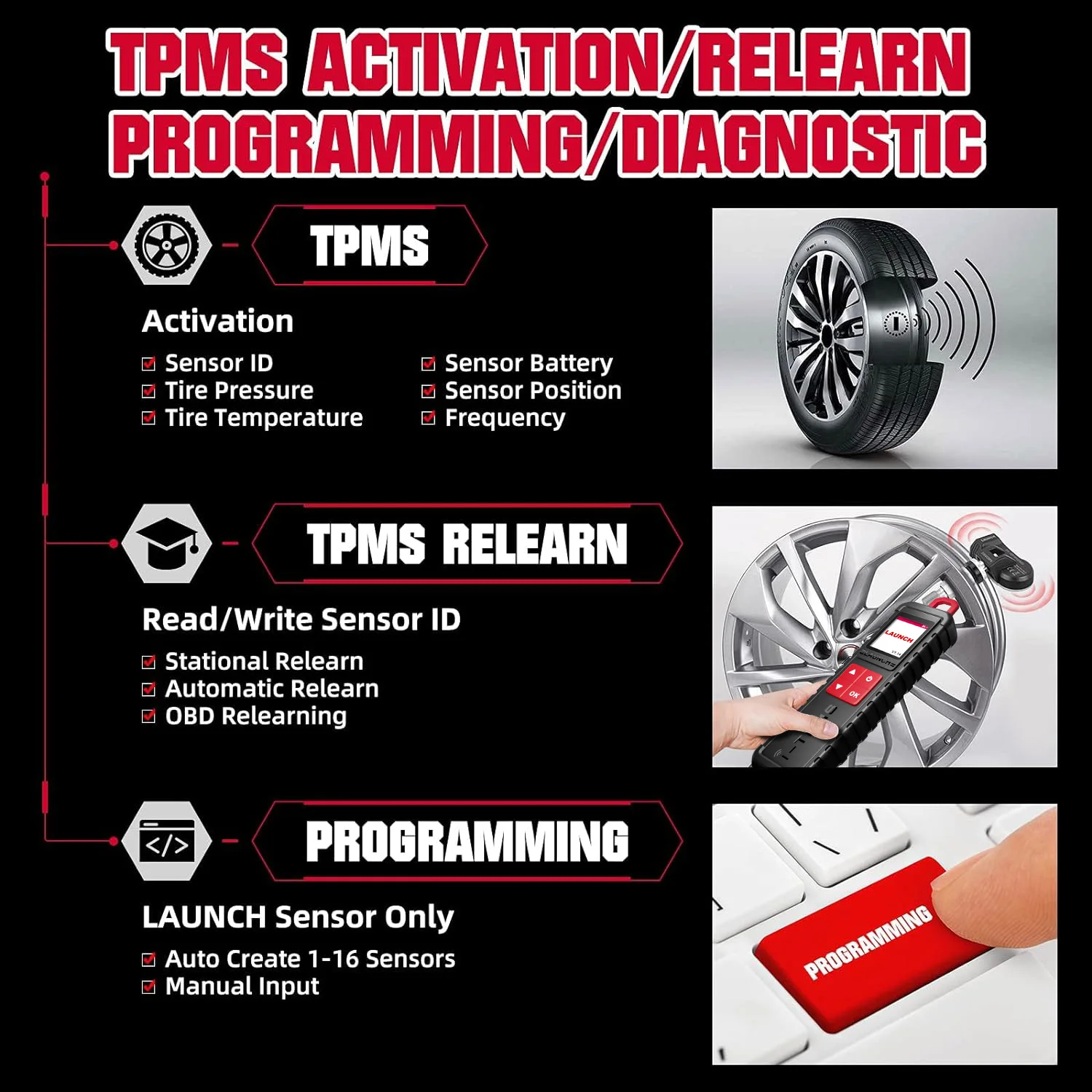
This function allows users to activate TPMS sensor to view sensor data such as sensor ID, tire pressure, tire frequency, tire temperature and battery condition.
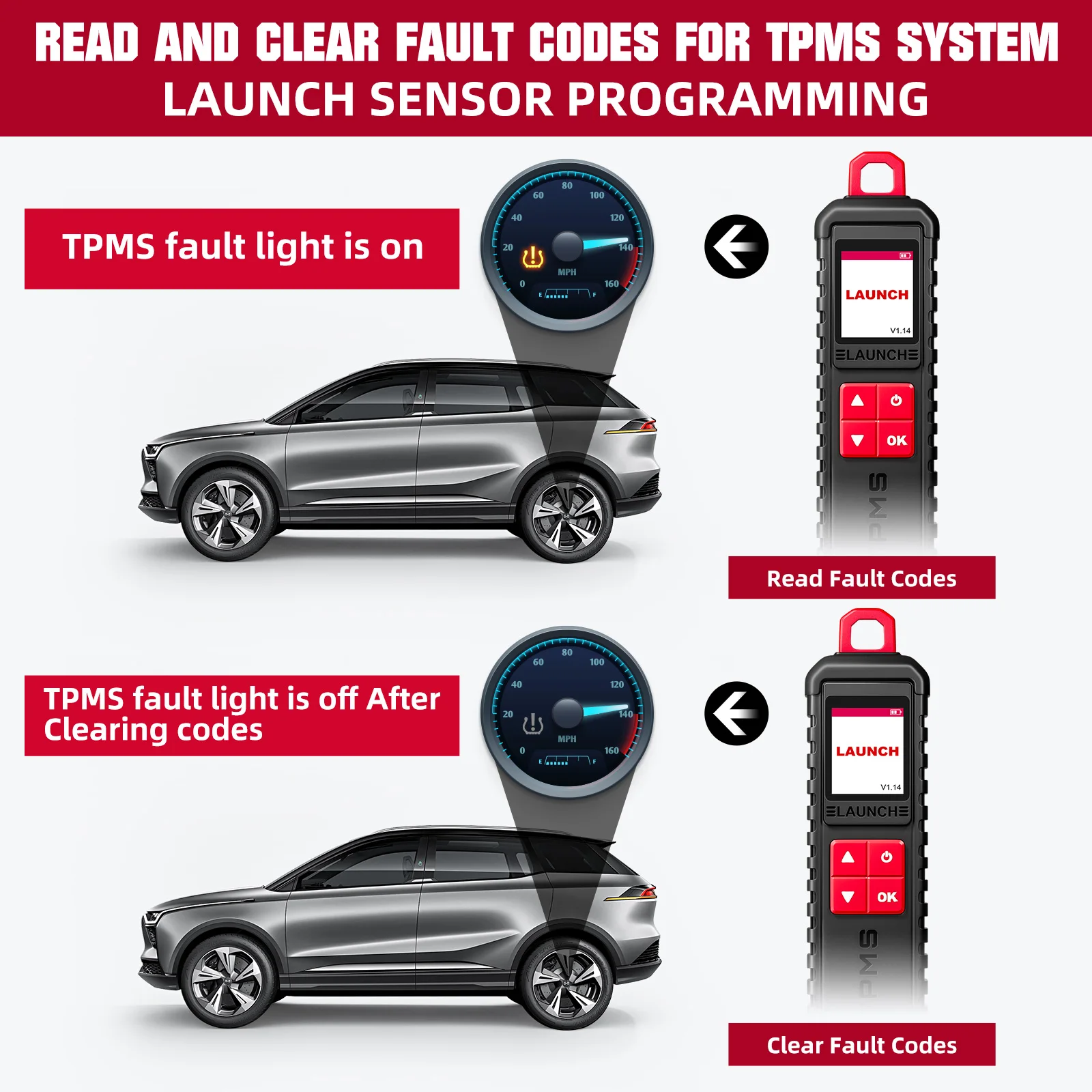
Diagnose tire pressure fault
Read and clear the fault code of the TPMS system
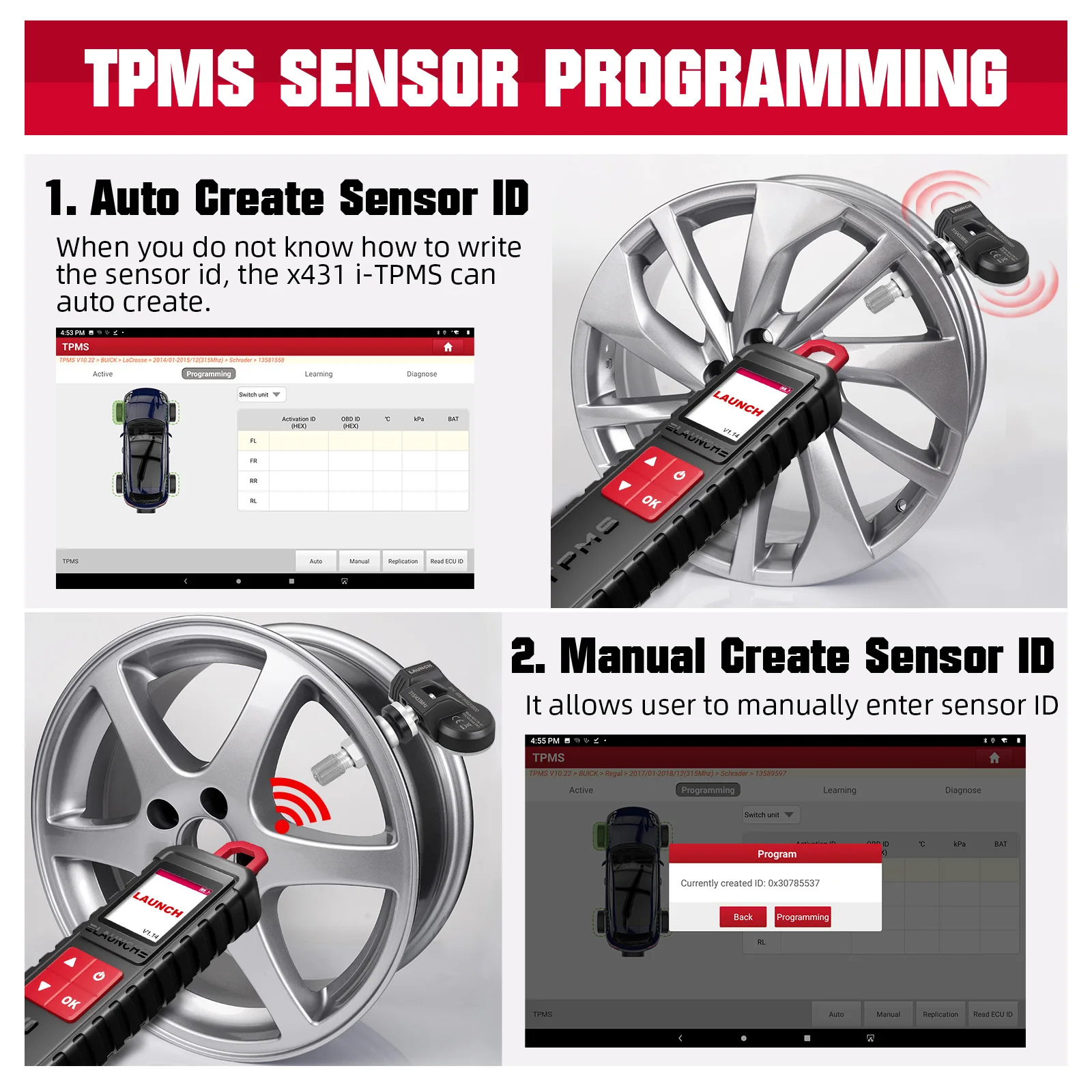
Program Sensor
This function allows users to program the sensor data to the L AUNCH-sensor and replace faulty sensor with low battery life or one that is not functioning.
There are three options available for programming LAUNCH-sensor: Auto Create, Manual Create and Copy by Activation.
(Note: Do not place the device close to several sensors at the same time, or the diagnostic tool will detect more sensors, which may result in programming failure)
Method 1 - Auto Create
When the original sensor ID cannot be obtained, this function can be used to program the LAUNCH sensor according to the ID randomly created by the test vehicle.
Method 2 - Manual Create
When the original sensor ID cannot be obtained, this function can be used to program the LAUNCH sensor according to the ID randomly created by the test vehicle.
Method 3 - Copy By Activation
By first activating the original sensor data, and then copying the activated sensor data into the LAUNCH sensor. Before using this method, the original sensor data must be activated.
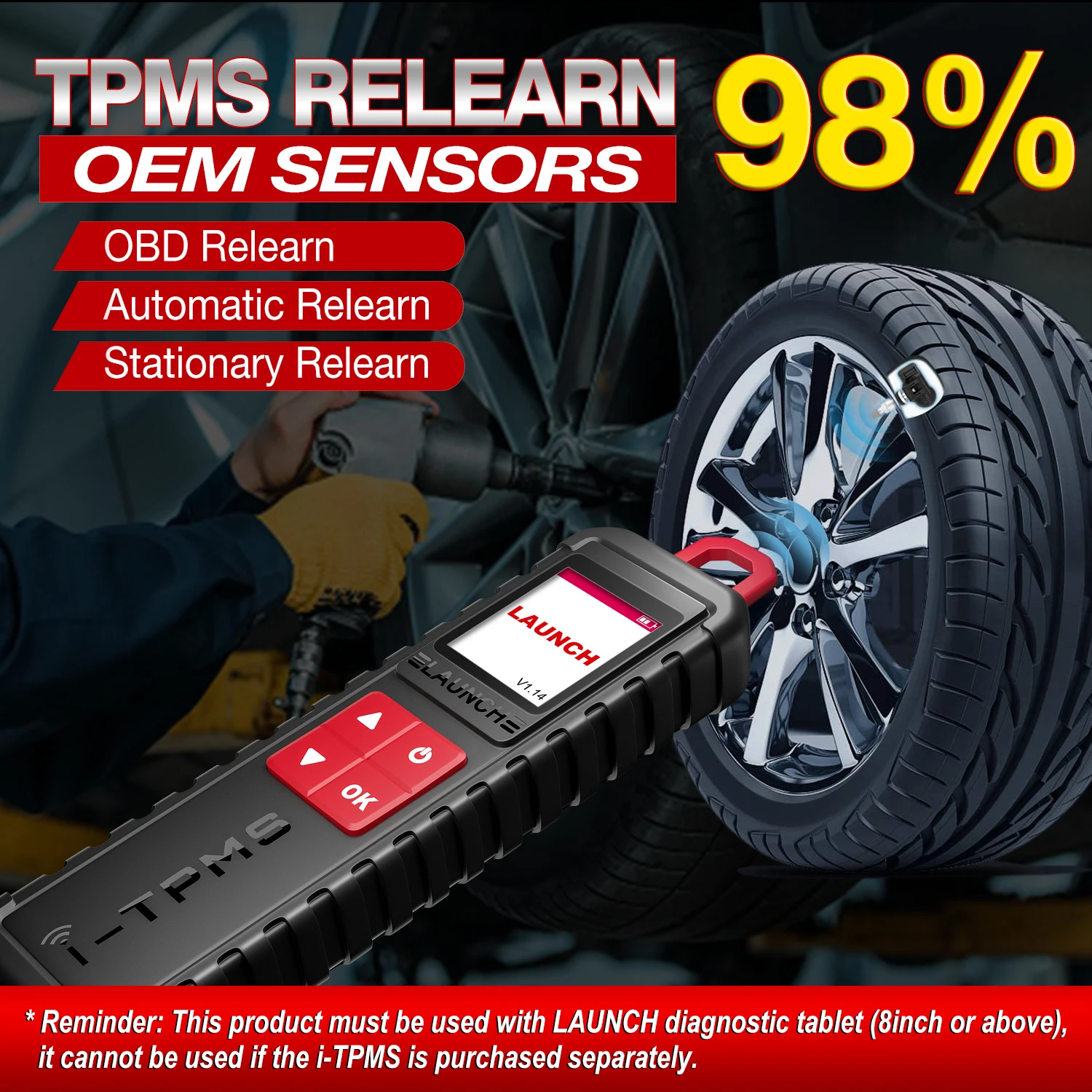
TPMS Relearn
The user can use this function to write the newly programmed sensor ID into the vehicle ECU for sensor identification. Only when the newly programmed sensor ID is different from the original sensor ID stored in the vehicle ECU, the re-learning operation is required.
There are three ways available for Relearn: Static Learning, Self- Learning and Relearn by OBD.
Method 1 - Static Learning
Static learning needs to put the vehicle in "learning mode", and then follow the learning steps prompted on the screen.
Method 2 - Self-Learning
For some vehicles, the learning function can be completed by driving the vehicle self-learning.
Method 3- Relearn by OBD
This function allows the diagnostic tool to write the sensor ID to the TPMS module.
To perform the OBD re-learning function, first use the tire pressure tool to activate all four tire sensors. Then use the diagnostic equipment and its attached diagnostic connector, and follow the on-screen instructions to complete the re-learning operation.
Packing List :
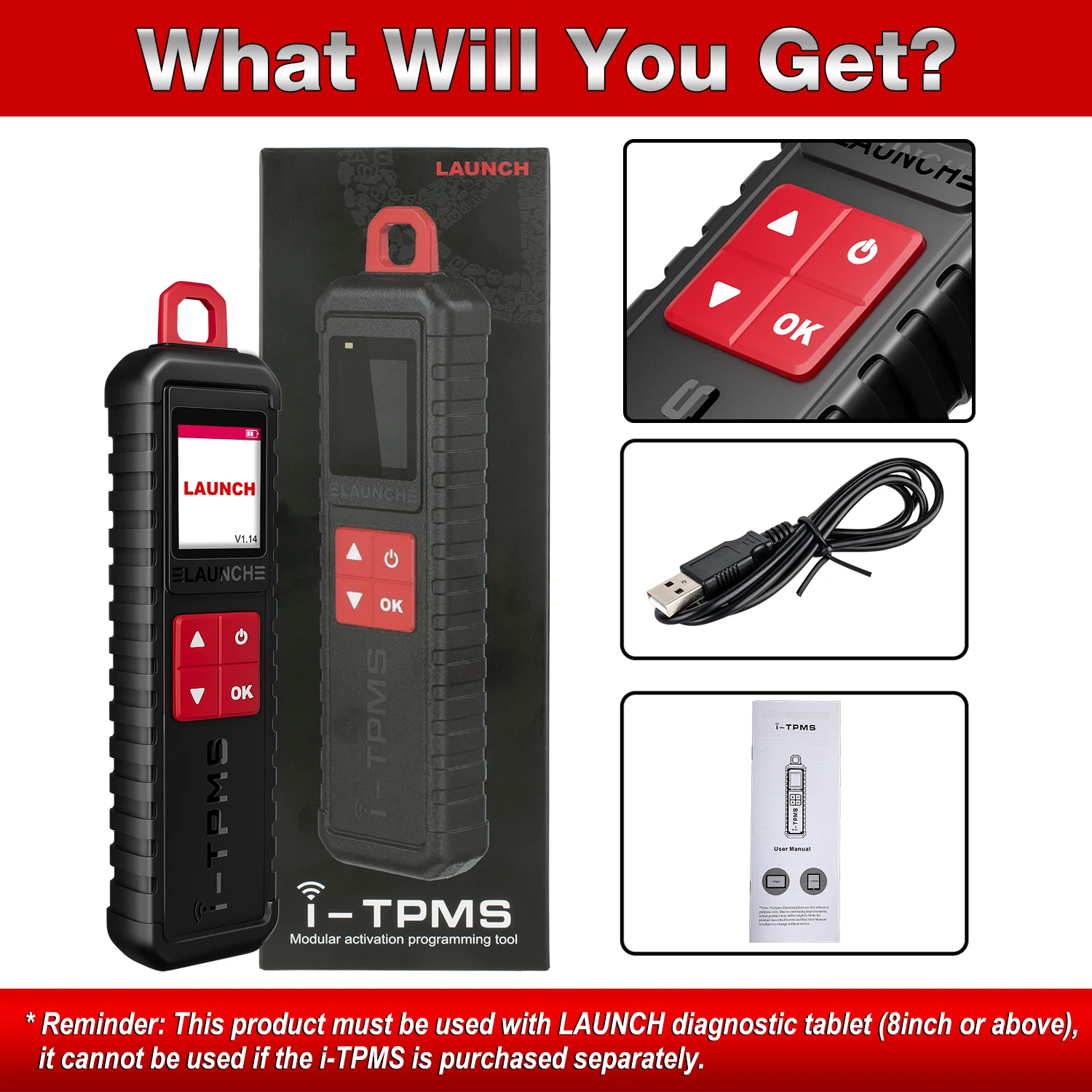
1* X-431 TSGUN
1* USB cable
1* box
Details
This product is crafted with quality materials to ensure durability and performance. Designed with your convenience in mind, it seamlessly fits into your everyday life.
Shipping & Returns
We strive to process and ship all orders in a timely manner, working diligently to ensure that your items are on their way to you as soon as possible.
We are committed to ensuring a positive shopping experience for all our customers. If for any reason you wish to return an item, we invite you to reach out to our team for assistance, and we will evaluate every return request with care and consideration.
Shop The Full Collection


